Showing posts with label Machinima. Show all posts

Wednesday, October 24, 2012

Understanding Machinima: Essays on Filmmaking in Virtual Worlds

Table of Contents

Preface -- Henry Lowood
Introduction -- Jenna Ng

I. Thinking Machinima

1. Machinima: Cinema in a minor or multitudinous key? -- William Brown and Matthew Holtmeier
2. Beyond Bullet Time: Media in the knowable space -- Chris Burke
3. Moving Digital Puppets -- Michael Nitsche, Ali Mazalek and Paul Clifton
4. Be(ing)Dazzled: Living in machinima -- Sheldon Brown
5. Facing the Audience: A dialogic perspective on the hybrid animated film -- Lisbeth Frølunde
6. The Art of Games: Machinima and the limits of art games -- Larissa Hjorth

II. Using Machinima

1. Dangerous Sim Crossings: Framing the Second Life art machinima -- Sarah Higley
2. Virtual Lens of Exposure: Aesthetics, theory and ethics of documentary filmmaking in Second   Life  -- Sandra Danilovic
3. Playing Politics: Machinima as live performance and document -- Joseph DeLappe
4. Call It a Vision Quest: Machinima in a First Nations context -- Beth Aileen Dillon and Jason Edward Lewis
5. World of Chaucer – Adaptation, Pedagogy and Interdisciplinarity -- Chris Moore and Graham Barwell
6. A Pedagogy of Craft: Teaching Kulturanalys with machinima -- Jenna Ng and James Barrett
7. Interview -- Isabelle Arvers and Jenna Ng


http://www.continuumbooks.com/books/detail.aspx?BookId=166075&SubjectId=952

Sunday, November 13, 2011

Mashup: Deformative Practice as Comment on Gender and Sexuality

Let’s talk terms. ‘Remix’ and ‘Mashup’ . What is the difference. According to the great wiki:
A remix is an alternative version of a song, different from the original version. A remixer uses audio mixing to compose an alternate master of a song, adding or subtracting elements, or simply changing the equalization, dynamics, pitch, tempo, playing time, or almost any other aspect of the various musical components. Usually, a remix will involve substantial changes to the arrangement of a recorded work; lyrics may be added or removed, such alterations are not a necessity. A song may be remixed to give a song that wasn't popular a second chance at radio and club play, or to alter a song to suit a specific music genre or radio format.
While:
Mashup (or mash it up) is a Jamaican Creole term meaning to destroy. In the context of reggae or ska music, it can take on a positive connotation and mean an exceptional performance or event. The term has also been used in hip-hop, especially in cities such as New York that have a high Jamaican population.
Mashup, or bootleg, is a musical genre which, in its purest form, consists of the combination (usually by digital means) of the music from one song with the a cappella from another. Typically, the music and vocals belong to completely different genres. At their best, bastard pop songs strive for musical epiphanies that add up to considerably more than the sum of their parts.
Differences? Remix has cool white connotations of high tech interventions. Mashup is Creole (read black), with a hot edge of violence (to destroy) and also termed ‘bastard pop’. Remix is attributable to ‘a remixer’, whereby the artist as genius lives on within the new technology. Mashup is a process (as is Remix actually) that confuses boundaries while striving for a constellation that is only “considerably more than the sum of their parts” but never a new thing. But remix creates a song with “substantial changes” and “a second [coming??] chance”. Remix exists in the production of commodity culture while mashups subvert the values of that culture. Originality is supposed in the remix while it is erased in the mashup.

Consider the points raised in this seminar outline (PDF) in regards to mashup culture. Who owns words, and what is the value of fan production? Can you see value in mashups if we think about it in the following ways:
( from: Mashup Cultures by Stefan Sonvilla-Weiss - editor. p9)

Mashups are combinations of one or more existing works of media that rely on references back to the original/s in order for the newer combinations to be meaningful. In this way mashups differ from remixes as the latter creates a new work and can be made from a single already-existing work. As a critical device a mashup works from what literary theorist Jerome McGann calls derformance.

"Imaginative work has an elective affinity with performance: it is organized as rhetoric andpoiesis rather than as exposition and information-transmission. Because this is so, it always liesopen to deformative moves. Harold Bloom's trenchant theory of poetic influence spelled outsome of the imagination's performative "ratios," as he called them. Certain of these ratios areaggressively deformative, as when Blake famously overturns both Milton's Paradise Lost and itschief precursor, the Judaeo-Christian bible, or when Ronald Johnson selects from and revisesParadise Lost in RADI OS (1977)" (McGann and Samuels)

"Deformative scholarship is all but forbidden, thethought of it either irresponsible or damaging to critical seriousness. It exists nonetheless, and incertain cases it has gained justifiable distinction and importance. Forgery is the most importanttype of deformative scholarship, nor should its contribution to the advancement of learning beunderestimated, as Anthony Grafton has recently shown." - (McGann and Samuels)
Buffy versus Edward is a well know mashup that exposes many of the biases and stereotypical gender assumptions that underpin the Twilight series, along with foregrounding the strong female character in the Buffy the Vampire Slayer series. This mashup is an excellent critical reflection in the deformative sense that McGann refers to.

"Five months in the making, Buffy vs Edward is essentially an answer to the question “What Would Buffy Do?” My re-imagined story was specifically constructed as a response to Edward, and what his behavior represents in our larger social context for both men and women. More than just a showdown between The Slayer and the Sparkly Vampire, it’s also a humorous visualization of the metaphorical battle between two opposing visions of gender roles in the 21ist century" - What Would Buffy Do? Notes on Dusting Edward Cullen by Jonathan McIntosh (on WIMINs Voices).
One of the primary strengths of digital media as a meaning making system is how the collision of two elements can make a third. A video and a soundtrack can be joined in a webpage to create a new set of meanings when compared to the previous two or more works.


(Note: Some of these references are incorrect, but the general idea is present)

Materiality: “Dream America Movie” is constructed entirely by recombining semiotic content from Internet sources. The material consists of the following elements:

1. Moving visual imagery derived from YouTube, with one of two direct references to 131 course material, i.e., a clip from Michael Moore’s documentary, “Bowling for Columbine”;

2. Still photography from news sources and Microsoft clipart;

3. Spoken verbal commentary in the forms of voice over (inserted from YouTube) of the introduction to “God Bless America” by Irving Berlin, newscaster narration, clips from news conferences of former President Bush and current Vice President Biden, and, in one of two direct references to 131 course material, a clip from Morgan Spurlock’s TV documentary, “Minimum Wage”;

4. Written verbal content in the forms of title (her only self-created addition to the video text), news channel logos (ABC; Fox News; CNN), news captions and scrolling banners, signs in the hands of individuals in visuals or propped on objects in visual); a combination of complete sentences in the narration, voiceover, and signs; and one-line clauses and phrases in the news banners and captions;

5. Streaming music throughout (Carmina Burana’s “O Fortuna”) inserted from YouTube (http://vodpod.com/watch/3134307-carmina-burana-o-fortuna).


What unites all of these elements in the above video is the critical theme of 'What is America today as a contrast to the American Dream?'. The focus provided by a theme is an important thing to remember when making a mashup.


The creation of a mashup can critique an established code or order that represents gender or sexuality.


This video was created by Michelle Redman and Kyle Nimmo for MACS 221 at UFV. It is meant to highlight how gender stereotypes are present in commercials and advertisments.


Making the Mashup

a) Writing for a Mashup
Creating a mashup is a lot about improvisation, using the materials at hand and understanding how references work in popular culture. You may decide to make a mashup based on a video you have seen that you believe needs to be answered. The YouTube function of Video Response caters for this aspect of the mashup. You may have thought of a theme, say Barack Obama is a Player, and you construct a mashup around that idea, gathering material from videos, podcasts, news images and broadcasts and audiobooks. The time line and rhythm of the segments you use in the mashup are important. Adding music can often make the mashup more effective, or it can fail.

b) The Tools:
There are three approaches to gathering moving images for the construction of a mashup; 1. copying, 2. ripping, 3. making.

1. Copying - screen capture using Camtasia, Jing (Mac and PC), AviScreen Classic, Fraps, GameCam, and Capture Me (Mac compatible). Using these programs you can capture images and often sound (AviScreen is image only). These can be saved as an .avi file and edited in a video editing program. I will return to video editing in the third section, making.

2. Ripping is the taking of content from the Internet. the Fast Video Download (FVD) addon for Firefox is one way of taking videos from the Internet. DownloadThemAll allows for fast download of videos, audio and images from a webpage. It does not work with embedded content the way FVD does. KeepVid does work with embedded videos on the Internet.

When making mashups a Creative Commons License (CC) is your friend. The CC License allows you to copy and modify content for non-commercial use. There are many sites on the Internet that allow for free use (free as in open). These include the enormous archive.org, OurMedia, and Freesound.org. Soundcloud is a music sharing site that allows for free downloads, as does the Free Music Archive.

3. Making is the stage after both copying and ripping. You have the gathered the raw materials for your mashup and now you need to put them all together. This is the hardest part of the process in many ways. For video editing there are a number of options available. In HUMlab we offer FinalCut Pro. As a free online download, but much simpler solution for video editing I use VirtualDub. There is also Windows Movie Maker. Camtasia (Free 30-day trial version) has a fairly advanced editing function as well. To covert AVI to MOV files for Window Movie Maker, there is a free solution. To covert Flash to MOV try this one. For working with sound, I use Cubase LE4, but there are free solutions. Audacity is one of them. Sill images can be inserted into the editing time-line of Camtasia and FinalCut. You can import the ripped video (after conversion if necessary) into each of the video editing programs mentioned here, using the Import Media function. You may want to add your own content as well and this can be done with the video cameras in HUMlab, the audio software I have mentioned here or using your own images.

Once you have completed your mashup I recommend sharing it with the world, using:


GET TO IT PEOPLE!


Wednesday, March 16, 2011

Making Machinima Happen


Biotic God Plays Facade

Machinima is the use of real-time 3D computer graphics rendering engines to create a cinematic production.

Welcome to a short course of how to make machinima. I would like to start by recommending
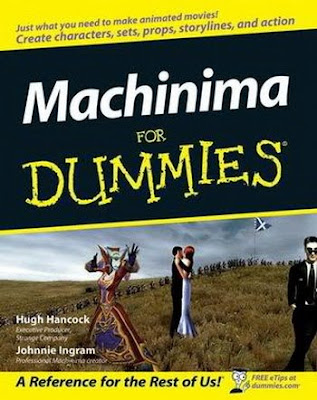


Machinima for Dummies comes with a CD-ROM containing the Moviestorm program for making machinima. The thing about buying a program to make machinima, such as Moviestorm or The Movies, is that you are confined to the program for the look, feel and audio of any movies you make. For this reason you should consider that the making of machinima is a process and each stage in the process is very important for what I describe as the texture of the film. I want to now go through the stages of producing a machinima film and explain what I think is important to know and what one should consider during the production process.

The film which Jenna showed, The French Democracy (2006) was made using Lionhead Studios The Movies. As a result you have backgrounds of jungle and log cabins as settings. It is important to remember that metaphor plays an important role in machinima.

Order of Production
Most machinima films that rely on narrative start with a spoken script. This is then recorded and the action is added later. It is also possible to add audio live using in-world voice software. Sound effects and incidental audio can be added later in post-production. The filming of machinima scenes can be very time consuming. Framing shots, getting avatars to do what you want, cutting out thought bubbles, and getting movements right can take many shots. You just have to go through it. Plan shots before hand taking into consideration the space, its features, if it is a high traffic area (you will have other avatars in shot) and so on.

Post-production is very similar to standard film production. You can do some editing in Camtasia but if you wish to make a more professional film, something like Final Cut or Premier.

Tools
Game Engine
The game engine is the virtual space in which you choose to set you film. There are thousands to choose from. Choose your engine based on criteria such as

- dimensions (cosmic, a city, a house, a planet)
- environment (urban, rural, gentrified, war etc)
- avatars (ethnicity, custom possibilities, costumes etc)
- actions (sex, violence, dancing, speaking, facial expressions etc)
- time period (contemporary, historical, futuristic)
- natural effects (rain, storm, ocean etc)

Image Capture
Virtual Camera

Camera Avatars
In most games the camera view is either attached to an avatar or moves in a third person (God-eye) perspective. One must think about the possibilities offered by the visual perspectives in the game engine.

Point of View
There are three main POVs in most game engines:

- First person (gamer view)
- Second Person (between users)
- Third Person (god-eye view, from above taking in characters, locations and worlds)

Second and Third person perspectives offer an independent camera view that is not attached to a single avatar. In the use of first person perspectives it is often worth using multiple camera avatars, who do not appear in the film but are used as virtual cameras in-world.


How to create a virtual camera in the Halo game engine.

Any sort of virtual camera could do
- Camtasia
- FRAPPS
- Jing
- The Movies
- Moviestorm
- WeGame
- PlayClaw

To use game platforms such as the Xbox 360 or Playstation you need to set up a video capture through another screen:


When you capture the video, there should be an options menu where you can adjust various aspects of the capture, such as quality, aspect ratio, etc

Audio
There are several ways of adding audio to your machinima film. You can use a free audio program such as Audacity. More advanced audio software such as Cubase and Protools are great but perhaps are too complicated and result in overkill for beginners. For these three programs the principle is the same; you lay audio tracks in layers, and can splice and edit them, adding effects in a visual time-line set up.

Characters
Avatars make up the graphic characters in a machinima film. Avatars are visual embodiments of users in virtual worlds. You can craft and customize avatars using skins and modeling. As well accessories can be added to avatars, such as hair, eyes, weapons, clothes.
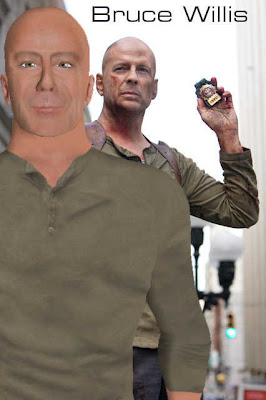


Working on an avatar in pre-production can make all the difference in a machinima film. Skins can be purchased or made, using Photoshop.


Create and avatar skin based on the Na'vi characters from the film Avatar.

Technical Information

Three main kinds of software are needed to record machinima :

(i) sound recording software (used only for if for some reason sound needs to be recorded independently; most of the time sound recording is already included in video capture tools);

(ii) third-party video capture tools; and

(iii) video editing software. Software examples are listed below.

Flash drives or accessible storage for video files should be considered before embarking on machinima instruction on public computers or in computer labs.

Once recorded, videos can be uploaded to free public video hosting sites with online editing features for video and the original files can be deleted. Organize your files and recording using social networking sites with added features such as online editing or music mash-ups for video. Some of the new video sites have editing features for video and in some cases audio and “mash-ups” with images and video: eSocial, JumpCut, Grouper, Eyespot, Motionbox, Dabble, VideoEgg (“Online Video Editing”).

Sound Recording Tools

Audacityis a free software, cross-platform digital audio editor and recording application. It is available for Windows, Mac OS X, Linux and BSD. The latest release of Audacity is 1.3.12, a beta, released on 1 April 2010. As of 29 October 2010, it was the 10thmost popular download from SourceForge.net, with 72 million downloads. Audacity won the SourceForge.net 2007 Community Choice Award for Best Project for Multimedia.

Video Capture Tools

If you are using video games to make machinima, some games have in-game video capture options. For example, 'The Sims 2' has a movie mode, and you just point the camera and click to record. Lionhead Studios 'The Movies' also creates movies as part of the game play, or as a sandpit option (filming separately from the game content). This is the easiest way to start with machinima - acquire one of these games and get going.

Alternatively, there are programs that enable you to capture any in-game or in-world footage. Just start recording inside your game or virtual world when you're ready.


Camtasia Studio and Camtasia for Mac are screen video capture software, published by TechSmith. The program allows files to be stored in its own proprietary format, which is only readable by Camtasia itself; this format allows for fairly small file sizes, even for longer presentations. Camtasia also allows the generated video stream to be exported to common video formats which can be read by most computers, even if the Camtasia software is not installed, such as MPEG-2 or MPEG-4. PC World described Camtasia Studio as "the premier screencasting tool", which, though "powerful," can be "a little overwhelming at the start".


AviScreen Classic, which you can download for free from bobyte.com. It's totally free but doesn't record sound. The really good thing about this program is that you can customise what part of the screen you want to capture. This means you can miss off the HUD etc, so you don't have to bother cropping it later.


Fraps, which you can download for free from fraps.com. It's free for the unregistered version, which lets you record up to 30 seconds at a time and puts a small url watermark along the top of the video. Fraps can also record the audio of the game, making life that bit easier. FRAPS for PCs is optimized for games and can capture video at up to 100 frames per second depending on limits in the game. It is the best PC option for creating Second Life machinima.


GameCam- the lite version is free and you can download it from planetgamecam.com. Game Cam Lite is still Game Cam, only simpler and without the extended features set. Game Cam Lite allows the recording of real-time in game movies with sound via hot keys or an easy to use in game interface and was designed to work with most DirectX 7, 8, 9 and OpenGL games. Game Cam Lite was created for individuals who simply want to record movies.


Leadtek Winfast PVR (TV card for PC). Record your PS2, X-box etc footage with this. Stereo sound as well. Includes a hardware MPEG 2 encoder for top quality video. Definitely the easiest way to capture video from games machines.


Leadtek Winfast PVR (TV card for PC). Pretty much the same as above. Cheaper, but will do everything you need.

For Macs


Snapz Pro X allows you to effortlessly record anything on your screen, saving it as a QuickTime® movie or screenshot that can be e-mailed, put up on the web, or passed around however you want. Snapz Pro X 2.x costs $69. Upgrades from Snapz Pro X 1.x w/ movie capture are $20.

Video Editors

You'll need a video editor to turn your clips into a film. Examples of video editors are:


Windows Movie Maker- Windows Movie Maker is free with Windows XP and XP Pro but only works on those platforms. There is an older version that shipped with earlier versions of Windows, but it's very limited. Windows Movie Maker is actually a really good program, very intuitive and with lots of options for effects. It's also easy to edit clips and add dialogue and music or sound effects. Adding titles at the beginning and end, as well as subtitles, is also very easy. A great option for getting started.


Adobe Premiere Pro 2 Windows- This is great for doing blue/green screen stuff for special effects and to mix videos together, including game and real life. Make every frame count with Adobe Premiere Pro 2.0 software, the essential tool for professional video editing. Capture and edit virtually any format, from DV to uncompressed HD, and output to tape, DVD, and the web. Unparalleled integration with other Adobe applications removes production bottlenecks, freeing time so you can focus on the highest production values to tell your story. Adobe Premiere Pro 2.0 sets new standards for efficient digital filmmaking.


Premiere Elements 2- Presenting Adobe Premiere Elements 2.0 with everything you need to create videos that thrill your friends and family. The perfect combination of superior control, ease of use, and reliability, Premiere Elements automates tedious tasks so you can be creative more quickly. Import video clips from all of your digital video devices, then experiment with hundreds of professional transitions and effects to grab your audience. Burn your videos to DVD, complete with custom menus for that personal touch, or transfer them to your portable video players to wow your audience anytime, anywhere.


Pinnacle Studio Plus 10- Introducing, from Pinnacle, the worldwide leader in home video editing, Pinnacle Studio Plus version 10, the most advanced and powerful home video editing solution available today. Studio Plus combines the legendary ease of use of Studio's intuitive three-step movie creation process with the power and quality of the Pinnacle Liquid Engine to quickly and reliably capture all of your media from popular consumer electronic devices including the newest top quality HDV cameras and even video phones. Studio Plus provides users with the ultimate control with the addition of 100's of breathtaking user-defined keyframeable real-time effects, like HD Pan & Zoom, picture and picture and Chroma Key. Effortlessly, add music and titles and you are quickly creating blockbuster home movies for sharing on DVD, the Web and beyond.


Ulead Video Studio

  • Over 1000 Customizable Effects, Filters, Transitions and Title Styles - Simply drag and drop to personalize your movie

  • 16:9 Widescreen Support creates wide screen movies for a true home theatre experience

  • Chroma Key Editing - lets you place your subjects into different backgrounds

  • Pan and Zoom lets you scan over still images to create a motion effect

  • Share and preserve your home videos on DVD, CD, tape, the Web, or mobile


Adobe Encore 2 Windows- DVD authoring - Adobe Encore DVD software takes DVD authoring to a new level of creativity and efficiency. Through its flexible interface and unparalleled integration with Adobe Premiere Pro, Adobe Photoshop CS, and Adobe After Effects, Adobe Encore DVD gives professional videographers, DVD authors, and independent producers the power to create sophisticated multi-language DVDs with interactive menus and multiple audio and subtitle tracks. With Adobe Encore DVD, you can produce consistent, high-quality results, and output to all recordable DVD formats for a wide degree of playback compatibility.


Adobe After Effects 7 ProWindows- Expert effects - Wow your audience with visual and audio effects considered indispensable at leading studios, including grain effects, Glow, Advanced Lightning, and Optics Compensation. Flexible distortion effects Distort and morph footage using Mirror, Ripple, and other effects, and paint distortions directly onto imagery with Liquify. Timewarp - Slow down and speed up footage with smooth, crisp results and minimal artifacts. Timewarp analyzes pixel motion to create more accurate in-between frames.

Links


Books and References

Berkeley, Leo. “Situating Machinima in the New Mediascape.” Australian Journal of Emerging Technologies and Society. 4:2 (2004), 65-80.

Hancock, Hugh, Ingram, Johnnie. Machinima For Dummies. Aug. 2007.

Kelland, Matt, Dave Morris, and Dave Lloyd. Machinima. Boston, MA: Thomson/Course Technology. 2005.

Landay, Lori. “Virtual KinoEye: Kinetic Camera, Machinima, and Virtual Subjectivity in Second Life.” Journal of e-Media Studies. 2:1 (2009), 1-33.

Long, Geoffrey, “Interview with Paul Marino”, Transformative Works and Cultures, Vol. 2, 2009, 1-7.

Lowood, Henry. “High-Performance Play: the making of machinima”. Journal of Media Practice. 7:1 (2006), 25-42.

Lowood, Henry. “Real-time Performance: machinima and game studies”. The International Digital Media & Arts Association Journal. 3:1 (2005).

Lowood, Henry. “Found Technology: players as innovators in the making of machinima” in Tara McPherson (ed.), Digital Youth, Innovation and the Unexpected, Cambridge, Mass.: MIT Press, 2008.

Marino, Paul. 3D game-based filmmaking: the art of machinima. Scottsdale, Ariz: Paraglyph Press. 2004.

Nitsche, Michael, “Claiming Its Space: Machinima”, dichtung-digital, at www.dichtung-diigtal.org/2007/nitsche.htm, 2007.

Thursday, November 18, 2010

The Art and Practice of Machinima: Filmmaking with Graphics Rendering Engines Part 2

Welcome to a short course of how to make machinima. This is the second part of the lecture that takes up from where my colleague Jenna left off in her introduction. I would like to start by recommending


Machinima for Dummies comes with a CD-ROM containing the Moviestorm program for making machinima. The thing about buying a program to make machinima, such as Moviestorm or The Movies, is that you are confined to the program for the look, feel and audio of any movies you make. For this reason you should consider that the making of machinima is a process and each stage in the process is very important for what I describe as the texture of the film. I want to now go through the stages of producing a machinima film and explain what I think is important to know and what one should consider during the production process.

The film which Jenna showed, The French Democracy (2006) was made using Lionhead Studios The Movies. As a result you have backgrounds of jungle and log cabins as settings. It is important to remember that metaphor plays an important role in machinima.

Order of Production
Most machinima films that rely on narrative start with a spoken script. This is then recorded and the action is added later. It is also possible to add audio live using in-world voice software. Sound effects and incidental audio can be added later in post-production. The filming of machinima scenes can be very time consuming. Framing shots, getting avatars to do what you want, cutting out thought bubbles, and getting movements right can take many shots. You just have to go through it. Plan shots before hand taking into consideration the space, its features, if it is a high traffic area (you will have other avatars in shot) and so on.

Post-production is very similar to standard film production. You can do some editing in Camtasia but if you wish to make a more professional film, something like Final Cut or Premier.

Tools
Game Engine
The game engine is the virtual space in which you choose to set you film. There are thousands to choose from. Choose your engine based on criteria such as

- dimensions (cosmic, a city, a house, a planet)
- environment (urban, rural, gentrified, war etc)
- avatars (ethnicity, custom possibilities, costumes etc)
- actions (sex, violence, dancing, speaking, facial expressions etc)
- time period (contemporary, historical, futuristic)
- natural effects (rain, storm, ocean etc)

Image Capture
Virtual Camera

Camera Avatars
In most games the camera view is either attached to an avatar or moves in a third person (God-eye) perspective. One must think about the possibilities offered by the visual perspectives in the game engine.

Point of View
There are three main POVs in most game engines:

- First person (gamer view)
- Second Person (between users)
- Third Person (god-eye view, from above taking in characters, locations and worlds)

Second and Third person perspectives offer an independent camera view that is not attached to a single avatar. In the use of first person perspectives it is often worth using multiple camera avatars, who do not appear in the film but are used as virtual cameras in-world.


How to create a virtual camera in the Halo game engine.

Any sort of virtual camera could do
- Camtasia
- FRAPPS
- Jing
- The Movies
- Moviestorm
- WeGame
- PlayClaw

To use game platforms such as the Xbox 360 or Playstation you need to set up a video capture through another screen:


When you capture the video, there should be an options menu where you can adjust various aspects of the capture, such as quality, aspect ratio, etc

Audio
There are several ways of adding audio to your machinima film. You can use a free audio program such as Audacity. More advanced audio software such as Cubase and Protools are great but perhaps are too complicated and result in overkill for beginners. For these three programs the principle is the same; you lay audio tracks in layers, and can splice and edit them, adding effects in a visual time-line set up.

Characters
Avatars make up the graphic characters in a machinima film. Avatars are visual embodiments of users in virtual worlds. You can craft and customize avatars using skins and modeling. As well accessories can be added to avatars, such as hair, eyes, weapons, clothes.


Working on an avatar in pre-production can make all the difference in a machinima film. Skins can be purchased or made, using Photoshop.


Create and avatar skin based on the Na'vi characters from the film Avatar.


Scenario for Film
Machinima Short Course
HUMlab
Scenerio

Scene: Public place in Second Life (shopping mall, bus station, night club)

Characters (Clothing is spy):
Agent 1: waiting in the public place.
Agent 2: Approaches Agent 1 and offers information in the form of an object
Agent 3: Interrupts the transfer of the object from Agent 2 to Agent 1.

Agent 2 flees the scene. Agent 1 confronts Agent 3.